| IAP Software ™ |  |
| IAP Software ™ | |
Gantt Chart Task Status Admin
The Gantt Chart Task Status Admin is used to manage the Statuses which appear on all Gantt charts within the IAP Software. Administrators can create new statuses and assign a display color and sort order.
Contents
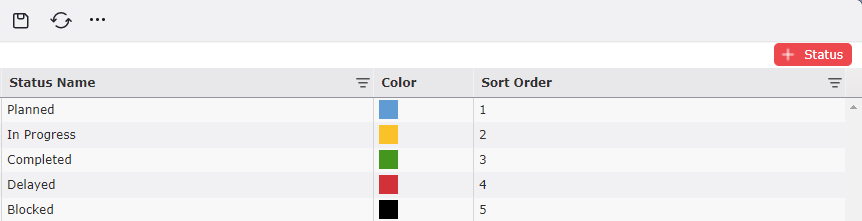
It may be necessary to create a new status for utilization within a Gantt chart in addition to the default statuses provided.
1. Click the Add button  to add a new status then type the status name which will be displayed.
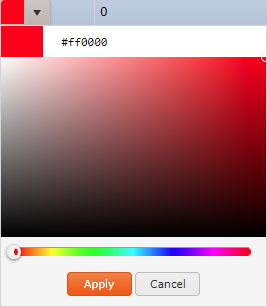
2. A color will be automatically added for the status. Click within the color field to display a color palette. Choose the desired color, then click the Apply button  .
.
3. Use the Increase/Decrease button  or free type to update the sort order for the status.
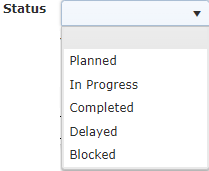
NOTE: Sort order determines the how these statuses show up in the Gantt Chart screens. This drop-down can be viewed after a task has been added and a user is choosing a corresponding status.
© 2024, TRG The Response Group LLC., All rights are reserved.
No part of this web site, and the information which it contains, may be reproduced, stored in a retrieval system or transmitted in any form or by any means, electronic, mechanical, photocopying, recording or otherwise, without prior written permission of TRG.