| IAP Software ™ |  |
| IAP Software ™ | |
ICS 225 – Personnel Performance Rating
The purpose of the ICS 225 Personnel Performance Rating form is to determine an individual’s performance on an incident/event only. The individual’s immediate job supervisor will prepare this form for each subordinate. It will be delivered to the Planning Section before the rater leaves the incident. For help using general form functions (e.g. Create/Open Version, Save, etc.) and accessing preloaded versions, see the General Form Functions page.
Contents
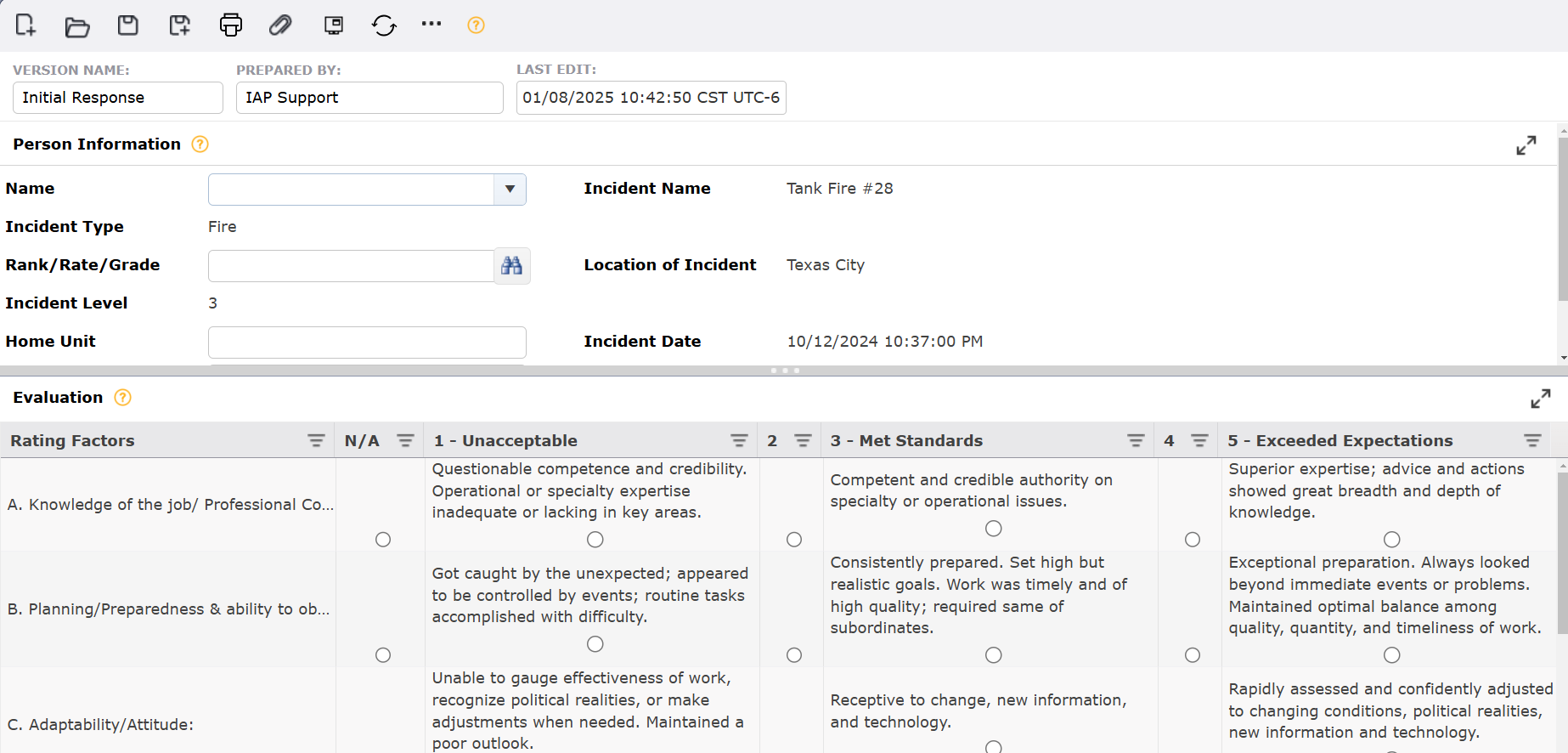
By default, the ICS 225 will open in a Classic view, separating the different sections on one page. The form can also be displayed in Tabbed view, separating the different sections into individual tabs. To switch between the views, click the Display Mode button  .
.


The following fields are completed automatically from the Incident Details:
Incident Name
Incident Type
Location of Incident
Incident Level
Incident Date
The following fields must be completed manually:
Choose the Name from the dropdown menu  .
.
Click the Rank/Rate/Grade button . The Select Title dialog box will appear as seen below. Choose the title from the appropriate branch of service tab and click OK.

Enter the Home Unit.
Enter the Unit Phone.
Enter the Date of Assignment From and To fields or use the calendar control button .
.
Choose the Position Assigned from the dropdown menu  .
.
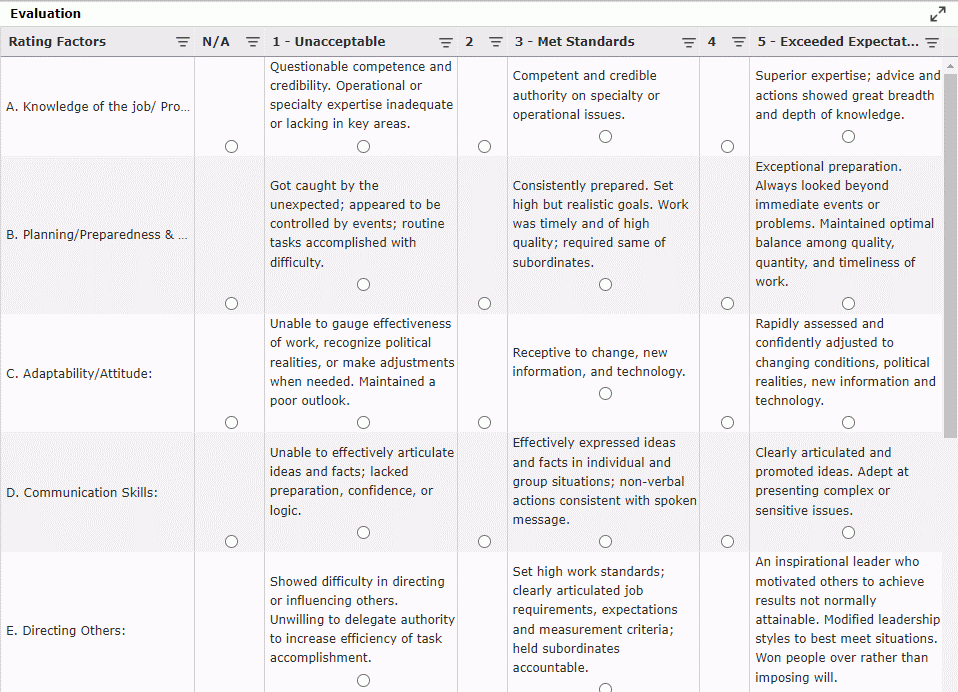
The following are the Rating Factors to evaluate the subordinate.
Knowledge of the job/Professional Competence & Using ICS
Planning/Preparedness & ability to obtain performance/results
Adaptability/Attitude
Communication Skills
Directing Others
Ability to work on/Consideration for team
Judgment/Decisions under stress
Initiative
Adherence to safety
Select the radio button  under the appropriate column indicating the individual’s level of performance for each duty listed.
N/A – The duty did not apply to this incident.
1 - Unacceptable – Does not meet minimum requirements of the individual element. Deficiencies/Improvements needed must be identified in remarks.
2 (Needs Improvement) – Meets some or most of the requirements of the individual element. IDENTIFY IMPROVEMENT NEEDED IN REMARKS.
3 - Met Standards – Satisfactory. Employee meets all requirements of the individual element.
4 (Fully Successful) – Employee meets all requirements and exceeds one or several of the requirements of the individual element.
5 - Exceeded Expectations – Superior. Employee consistently exceeds the performance requirements.
Below the Rating Factors section, complete the following fields.
Free type the Remarks/Potential
Choose the Rated By name from the dropdown menu .
.
Click the Rank/Rate/Grade button  . The Select Title dialog box will appear. Choose the title from the appropriate branch of service tab and click OK.
Enter the Date Rated using the calendar control button .
.
Choose the Supervisor Position from the dropdown menu .
.
Enter the Supervisor Home Unit.
Enter the Supervisor Unit Phone.
If any additional information needs to be added into the rating, it can be done in the Additional Information tab.
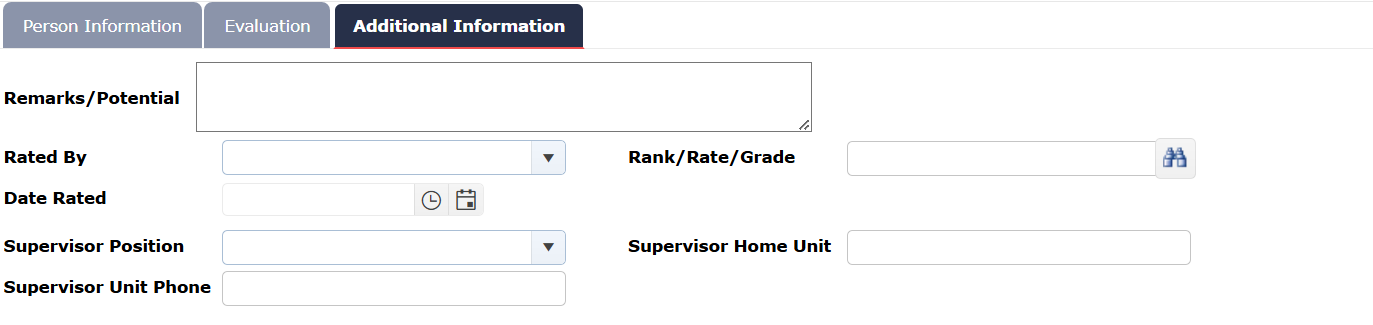
All fields must be completed manually, following the same steps described in the first section.
Free type any observations in the Remarks/Potential space;
Choose Rated By and Supervisor Positions from their dropdown menu  .
.
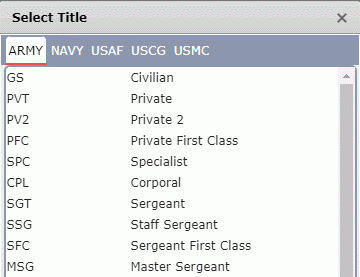
Click the Rank/Rate/Grade button . The Select Title dialog box will appear as seen below. Choose the title from the appropriate branch of service tab and click OK.
Enter their Supervisor Home Unit and Supervisor Unit Phone.
© 2024, TRG The Response Group LLC., All rights are reserved.
No part of this web site, and the information which it contains, may be reproduced, stored in a retrieval system or transmitted in any form or by any means, electronic, mechanical, photocopying, recording or otherwise, without prior written permission of TRG.