| IAP Software ™ |  |
| IAP Software ™ | |
Notification Status
The Notification Status form allows users to document detailed information for notifying external and internal parties after an incident. For help using general form functions (e.g. Create/Open Version, Preloads, Save, etc.), see the General Form Functions page.
Contents
Add External and Internal Notifications
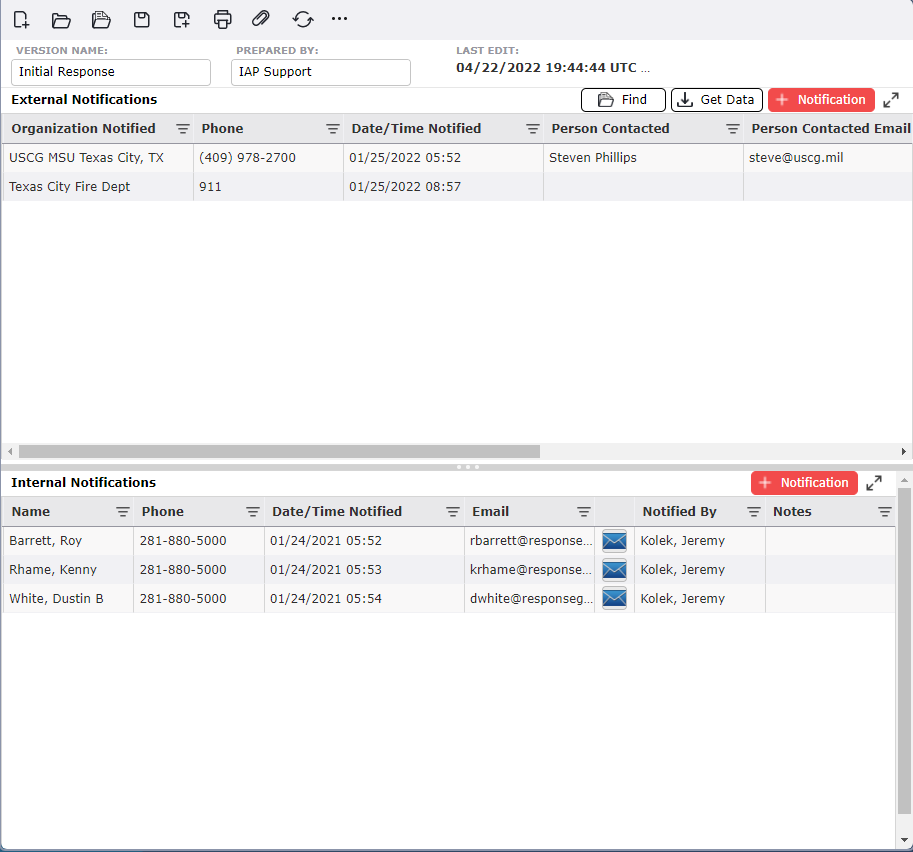
By default, the Notification Status will open in a Classic view, separating the different sections on one page. The form can also be displayed in Tabbed view, separating the different sections into individual tabs. To switch between the views, click the Display Mode button  .
.
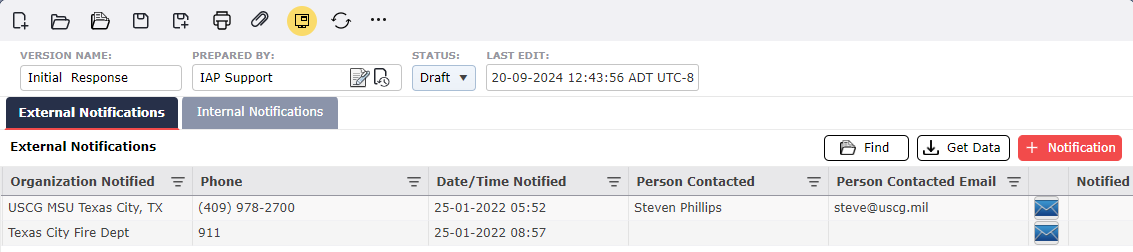
Users may add a notification by clicking the Add button  in the desired notification section (External or Internal). Click the Save button
  .
.
To delete a notification, hover over the line item, click the Delete button  , then click the Save button
  .
.
Users can quickly lookup organizations/agencies to add into the form.
Click the Find button  .
.
Type the name of the organization into the Search box  to filter the results.
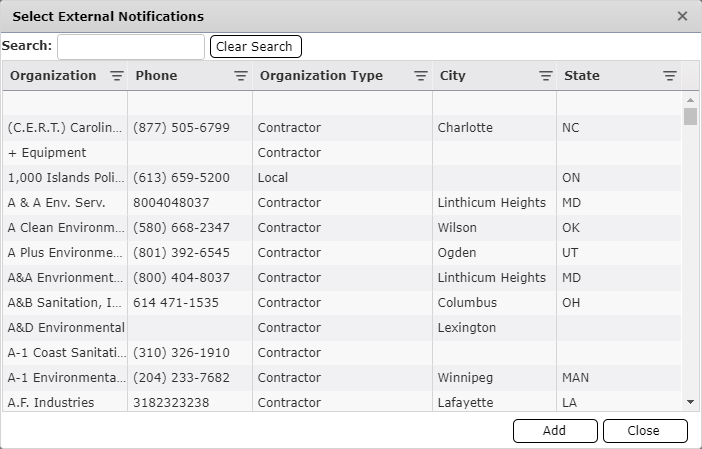
Click to select the organizations to be pulled into the form then click the Add button  .
.
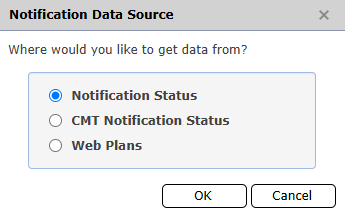
Users can pull information from other versions of the Notification Status form.
Click the Get Data button  .
.
Choose the source form you want to pick the notifications:
Choose the Version and click Open.
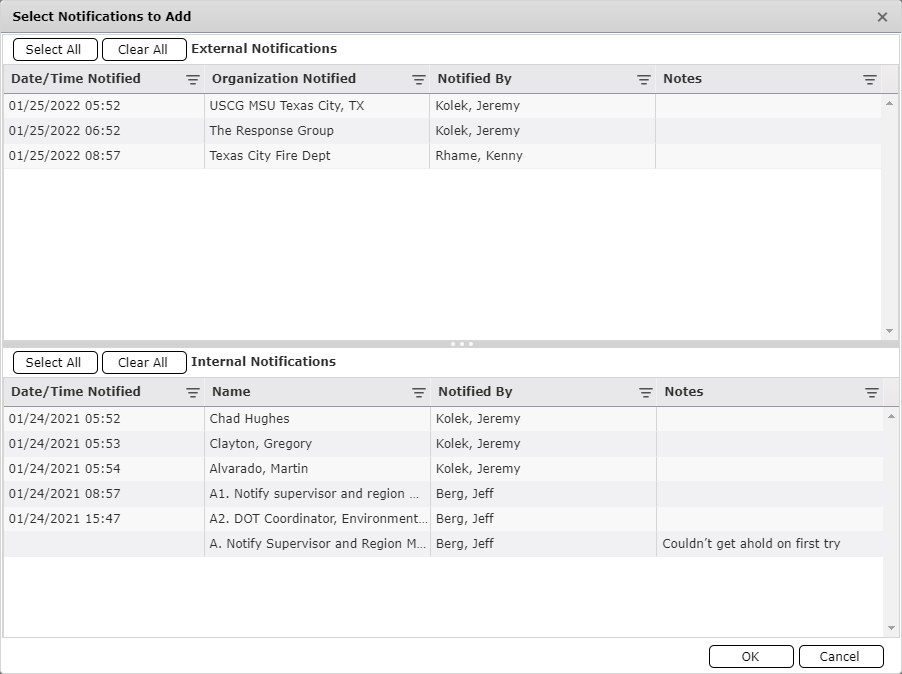
Select the notification(s) needed and click OK.
© 2024, TRG The Response Group LLC., All rights are reserved.
No part of this web site, and the information which it contains, may be reproduced, stored in a retrieval system or transmitted in any form or by any means, electronic, mechanical, photocopying, recording or otherwise, without prior written permission of TRG.