| IAP Software ™ |  |
| IAP Software ™ | |
ICS 217a – Communications Resource Availability
The ICS 217a – Communications Resource Availability form gives the user an overview of the current communication tools that are ready and available at hand. For help using general form functions (e.g. Create/Open Version, Save, etc.) and accessing preloaded versions, see the General Form Functions page.
Contents
Manage Communications Resources
Manage Frequency Band & Description
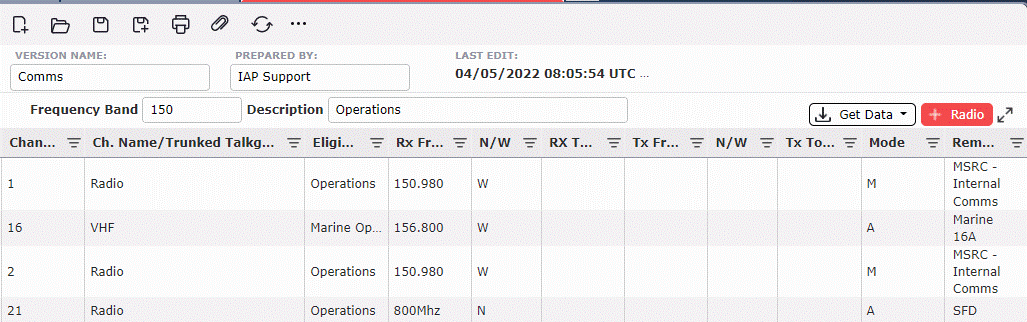
The user can add different communication tools or retrieve from existing forms.
To add resources, click the Add button .
.
To delete resources, hover over the desired resource for a moment and the delete button will appear, then click on the Delete button  to remove the resource. If you remain hovering over the resource, the delete button will disappear after a couple of seconds.
The user can retrieve data listed within Default Radios (if data has been preloaded under Default Radios).
Click the Get Data button .
.
Click the From Preloads Button
The Default Radios screen will then display, from here the user can select the appropriate radios from the list.
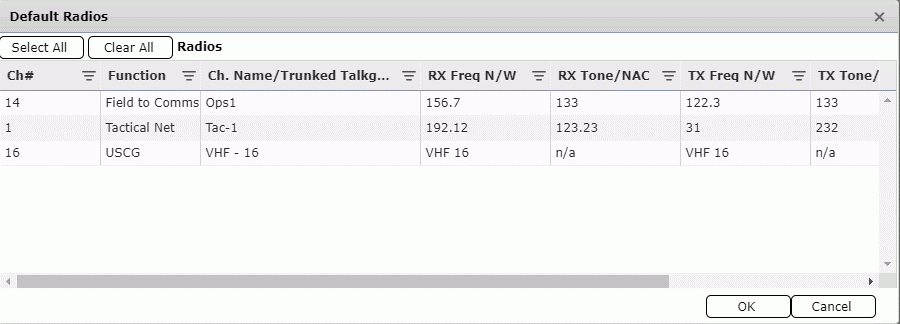
Click the radio needed and select OK  .
.
To select all radios, click the Select All button  .
.
To deselect all radios, click the Clear All button  .
.
The user can retrieve radios from the 205 form.
Click the Get Data button  .
.
Pop up will then show specific version to click.
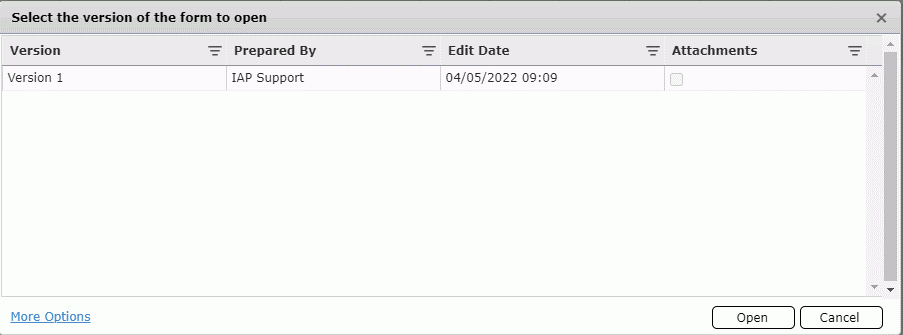
Click the specified version then Default Radios screen will appear for that version.
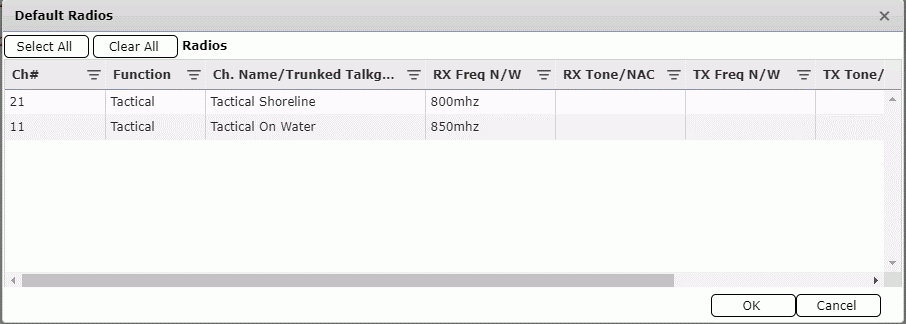
Click the preferred radios to add.
Click the OK button  to save your selection.
The user can add an overall frequency band and description to classify all radios listed.

Click into the fields to enter text.
© 2024, TRG The Response Group LLC., All rights are reserved.
No part of this web site, and the information which it contains, may be reproduced, stored in a retrieval system or transmitted in any form or by any means, electronic, mechanical, photocopying, recording or otherwise, without prior written permission of TRG.