| IAP Software ™ |  |
| IAP Software ™ | |
ICS 220-CG – Air Operations Summary
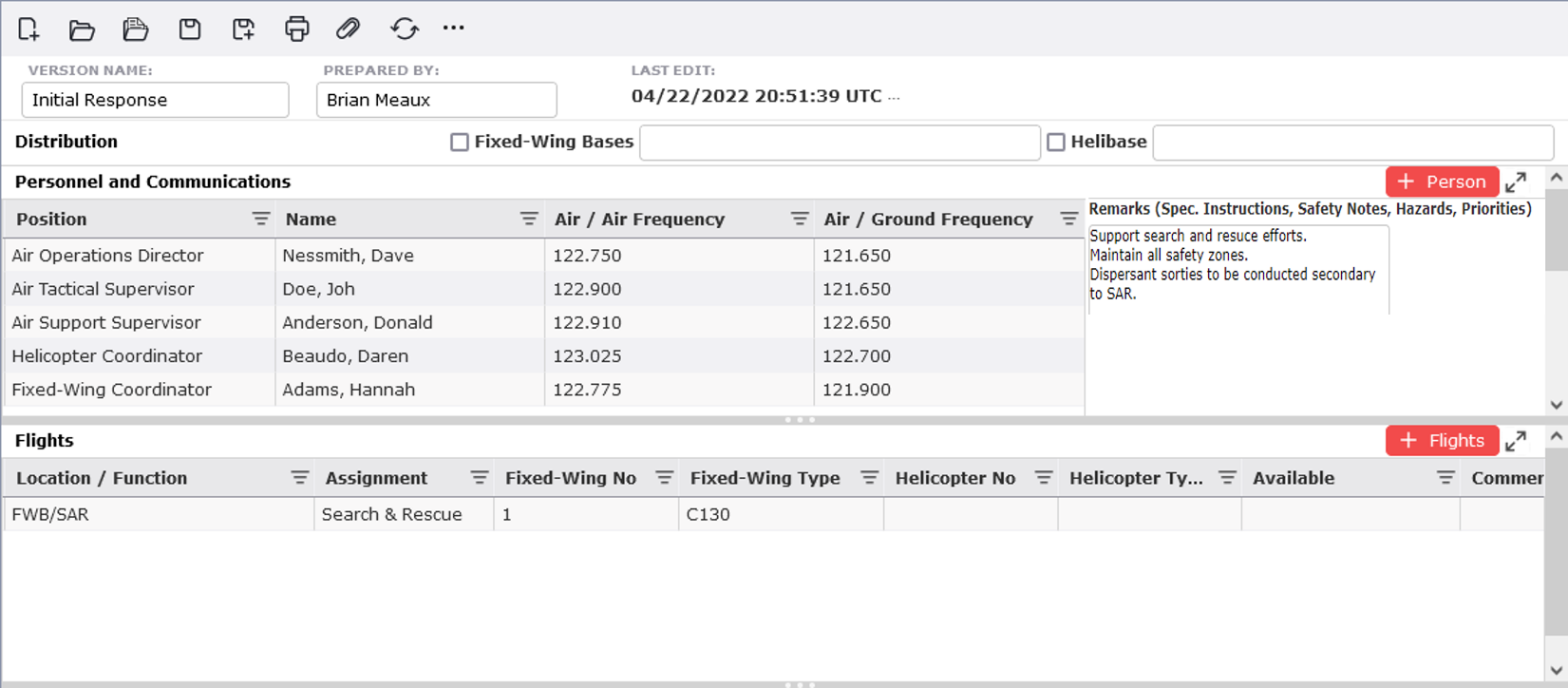
The Air Operations Summary (ICS 220-CG) is a worksheet to provide logistical support for incident aircraft. The ICS 220 communicates the assigned personnel, radio frequencies, and resources (fixed wing and helicopters) earmarked to the Air Operations Branch. The ICS 220 also identifies specific tasks for aircraft and can be used to communicate any special instructions or safety notes related to Air Operations. For help using general form functions (e.g. Create/Open Version, Save, etc.) and accessing preloaded versions, see the General Form Functions page.
Contents
Personnel, Communications and Remarks
Add Remarks (Spec. Instructions, Safety Notes, Hazards, Priorities)
Air Operations Support Equipment
The distribution section provides a location to document which air bases the ICS 220 CG has been distributed to. Use the checkboxes provided to select the type of airbase. Then type to enter the airbase name and time of distribution, if desired.


The Air Operations Director, Air Tactical Supervisor, Air Support Supervisor, Helicopter Coordinator, and Fixed-Wing Coordinator positions will be listed by default. Additionsl positions can be added using the Add button .
.
Click in the name field, then begin typing the last name to activate the dropdown menu.
Select the name from the dropdown menu.
Type to enter the Air/Air Frequency and Air/Ground Frequency.
Use the Add button  to add a new position and personnel details.
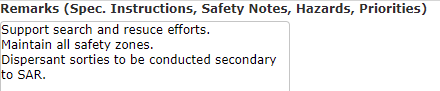
This section is used to enter special instructions, including safety notes, hazards, priorities and/or support equipment for Air Operations personnel. Users can free type to add remarks.

To add a flight, click the Add button  .
.
Manually type to enter information about fixed wing aircraft and/or helicopter resources allocated to the incident and the planned flight information including:
Location/Function of the aircraft
Aircraft assignment scope of work the aircraft is assigned to complete
Number and type of fixed-wing aircraft available
Number and type of helicopters available
Date/time the aircraft is available for use and when operations commence
Aircraft designators
The base from which each air resource will initiate operations
NOTE: Date and Time can be entered manually or by use of the Calender Control button  . Calendar controls allow the user to easily pick a date and time. For more information, see the Calendar Control page.

Users can type to enter details for Air Operations Support Equipment.
© 2024, TRG The Response Group LLC., All rights are reserved.
No part of this web site, and the information which it contains, may be reproduced, stored in a retrieval system or transmitted in any form or by any means, electronic, mechanical, photocopying, recording or otherwise, without prior written permission of TRG.